
Those who know me know I can be a bit of a control freak—on and off screen. For years I had dozens of folders and iCloud rules keeping my inbox perfectly sorted and squeaky clean.
Sometime in the past year, Apple Mail added automatic categories. I completely missed it and kept dragging and sorting messages like it’s still 2009.
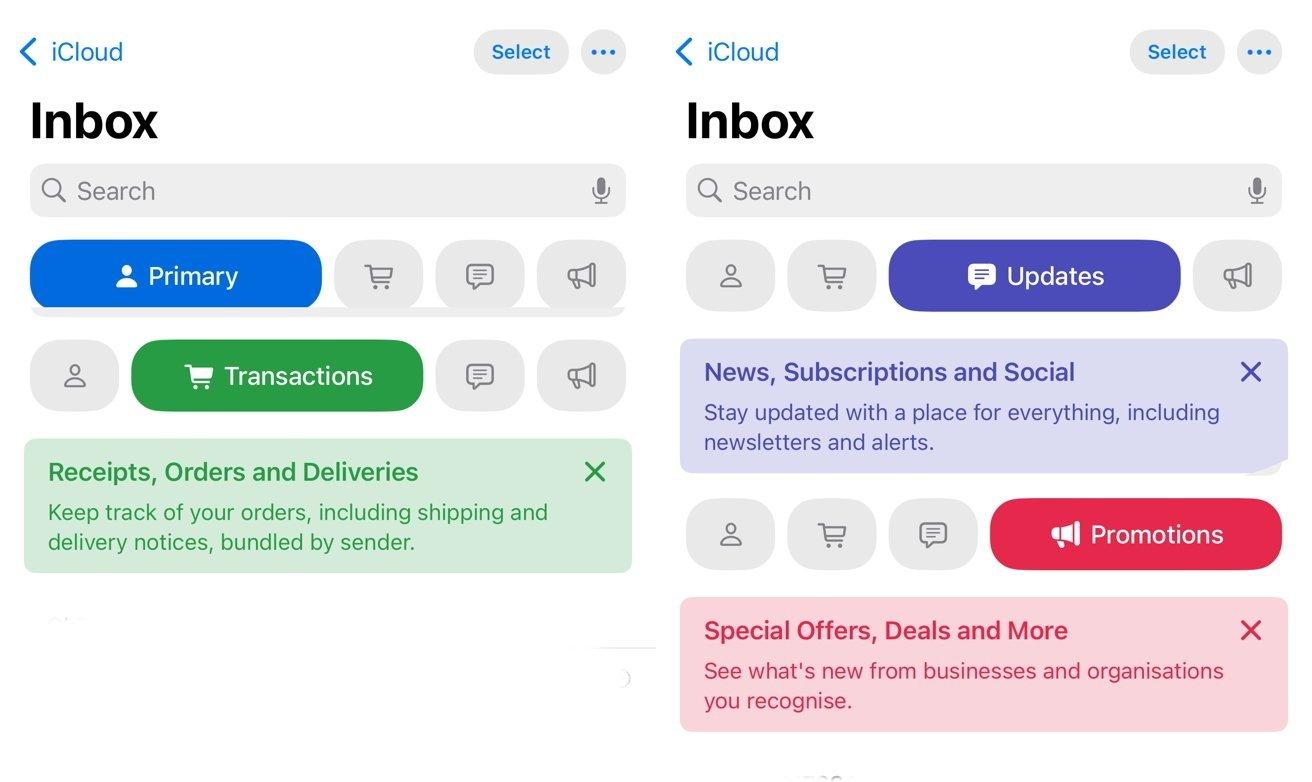
A few months ago I decided it might be time to loosen the grip and try the categories. If I was going to do it, I was going all in—like I tend to do with most things (sometimes it works, sometimes not so much).
First stop was iCloud. I deleted every rule, one by one (because there’s apparently no “select all”). Then I removed the folders that had faithfully served me for years. After that, I just waited for new emails to arrive with an odd sense of excitement.
Now when something lands in my inbox, Apple decides where it goes. If it’s important, it shows up in Primary. Everything else gets neatly filed into categories like Transactions, Updates, and Promotions. I don’t really know how it decides what goes where, if it’s content, sender, or magic, and I don’t feel the need to know.
So far, I’m happy with it, and I don’t miss my part-time job as an email admin. For such a small change, it’s been surprisingly freeing and has helped me focus on what actually matters: replying and staying connected with my users. I still archive messages to keep my inbox clutter free. It’s just one click that keeps me feeling in charge.
So yeah, I’ve officially moved on from manual sorting to better things. Funny how a tiny tweak can improve your day and save you a few minutes, over and over again.

Comments 0
Log in to leave a comment
Log In